

Most websites don’t perform well in search because they didn’t start with the right plan; blog posts and pages are just published in the hope of great success.
With a proper SEO content plan, you can be sure that every piece of content you put out directly meets your business goals and is working to generate leads and drive up sales.
In this guide, I will take you through a practical process of creating an SEO content plan using an example that has produced over a million impressions and over 13,000 clicks in its first 6 months for a Nigerian travel agency website.
Key takeaways
- An SEO content plan is a structured system that turns keyword research into a scheduled, assigned, trackable content production workflow.
- You can build a complete SEO content plan using Ubersuggest and Google Sheets, from keyword research to keyword selection, to keyword clustering to keyword prioritization, and responsibility assignment.
- Prioritizing topics by business potential, existing traffic, traffic opportunity, and ranking difficulty ensures you publish the highest-impact content first.
We will be using tools like Ubersuggest and Google Sheets because of their cost-effective nature. Ubersuggest costs just $12 a month, and Google Sheets is free, so a Nigerian business owner can get started.
Other tools like Ahrefs, SEMrush, and Moz can work effectively for keyword research, while tools like Monday and Notion can also work for hosting your final SEO content plan; they are just more expensive.
What is an SEO content plan?
I can define an SEO content plan as a structured system (document) that organizes your website’s content strategy by grouping target keywords to topics, assigning responsibilities (writer, editor) to each of them, tracking their production progress, and managing each page’s/topic’s publication to ensure every piece of content supports your SEO and business goals.
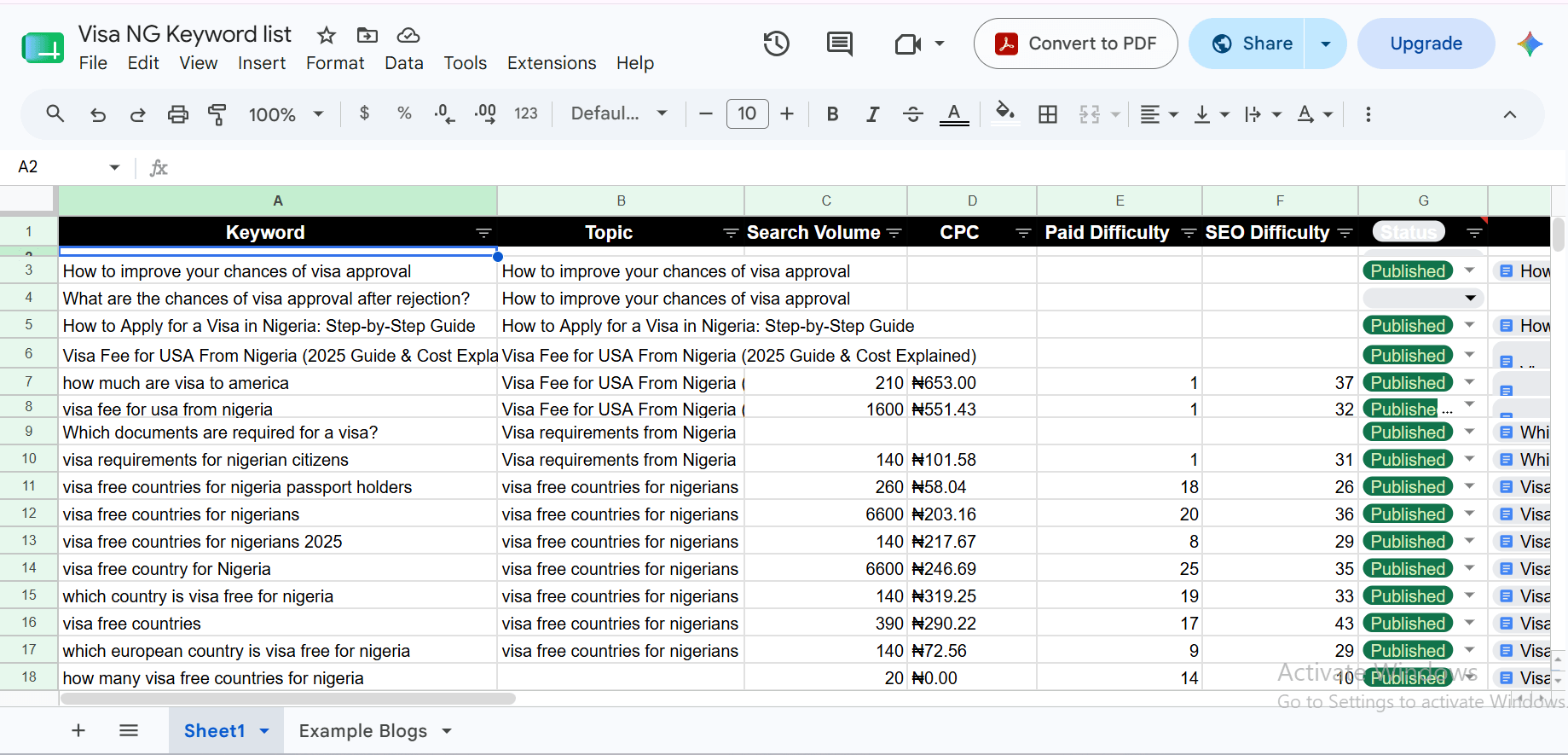
Or a concise definition would be: an SEO content plan is a centralized document that transforms keyword research data into an actionable content production workflow. It groups related keywords into topics, prioritizes content opportunities, assigns ownership, tracks every stage of production, and records publishing assets to ensure consistent SEO growth.
Step-by-step process to build an SEO content plan using Ubersuggest.
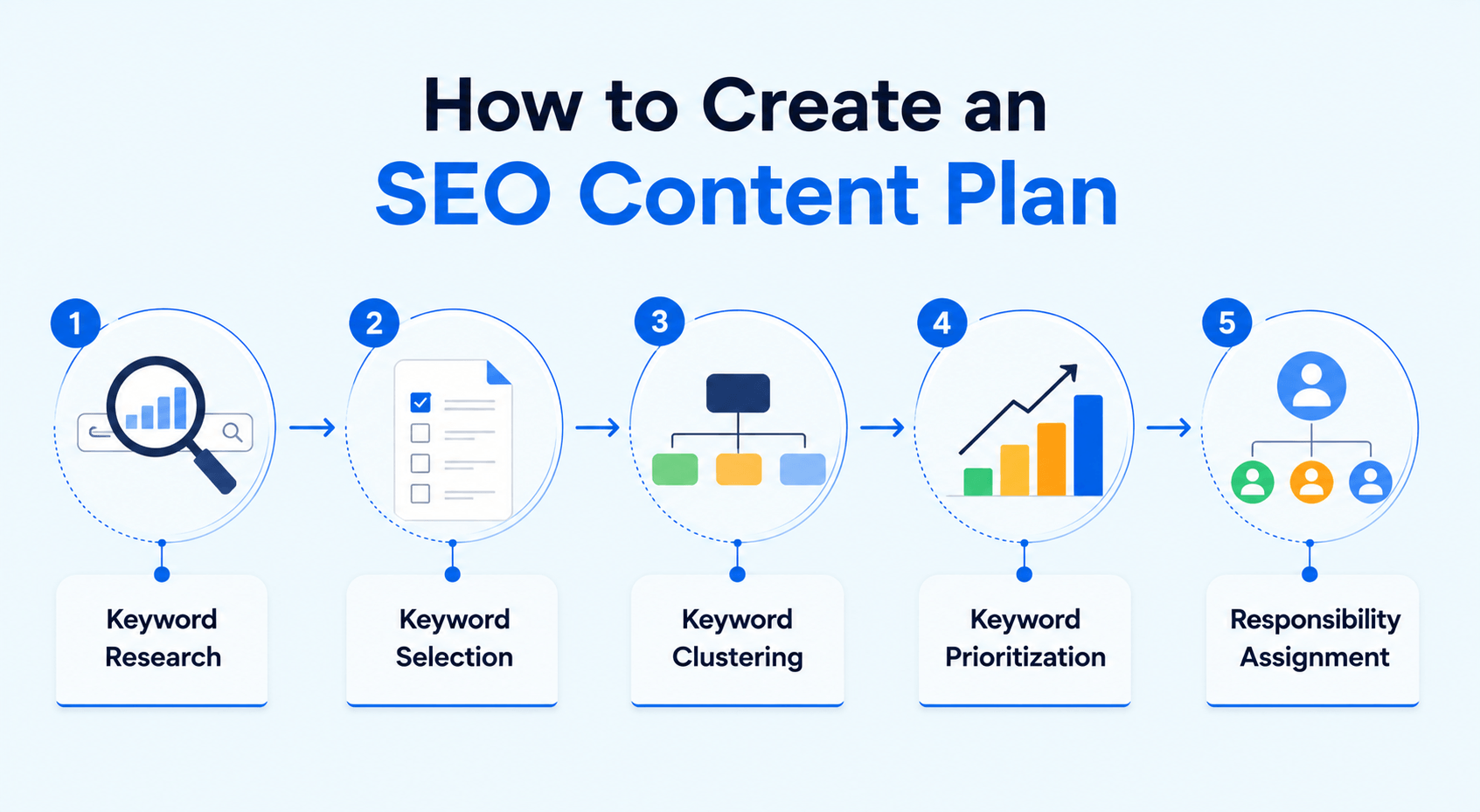
The process of creating an SEO content plan goes from keyword research, to keyword selection, to keyword clustering, to keyword prioritization, and finally to timeline plus responsibility assignment.
How to do keyword research using Ubersuggest
- STEP 1: Seed keyword selection – This is the process of selecting foundational phrases that simply define the business product or service. You can do this by remembering what phrases people use to ask for your product or service.
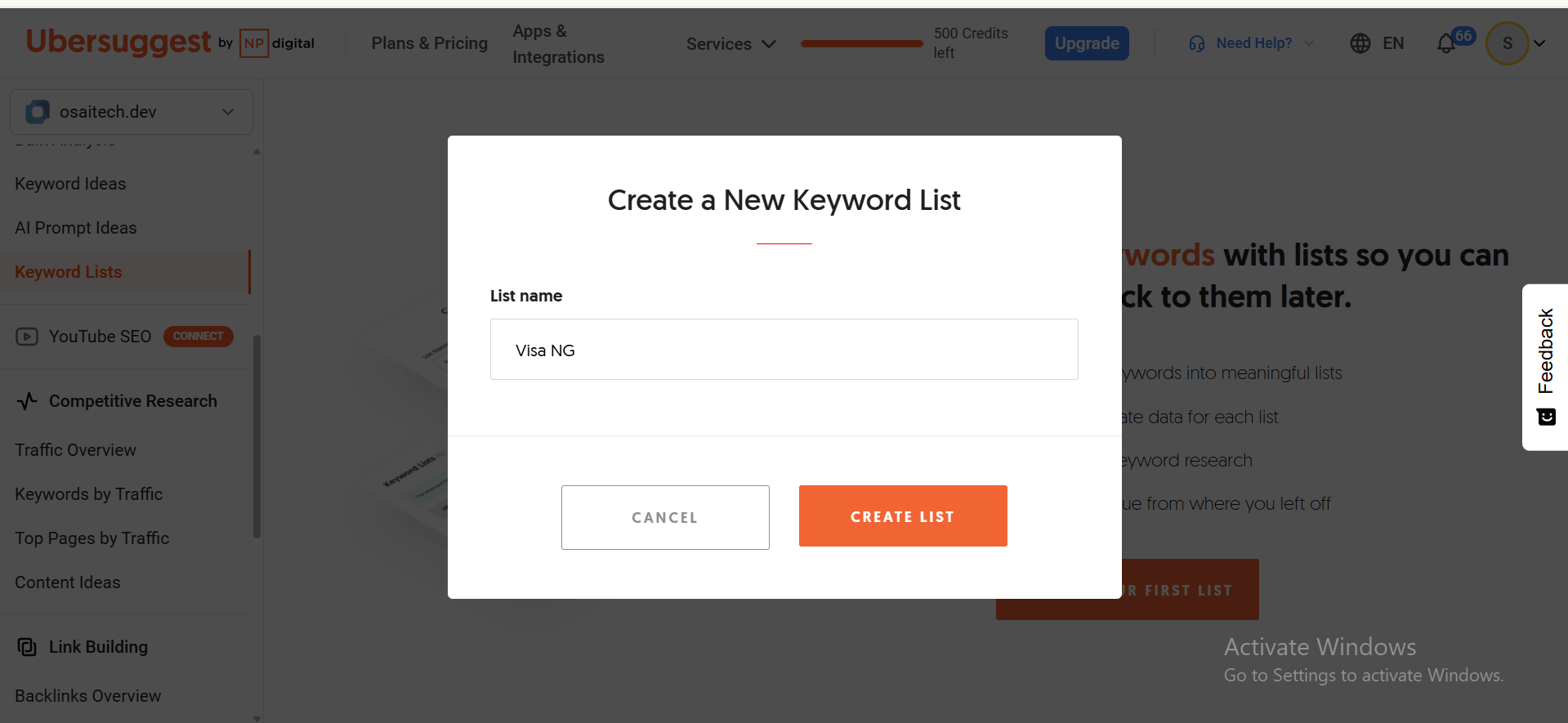
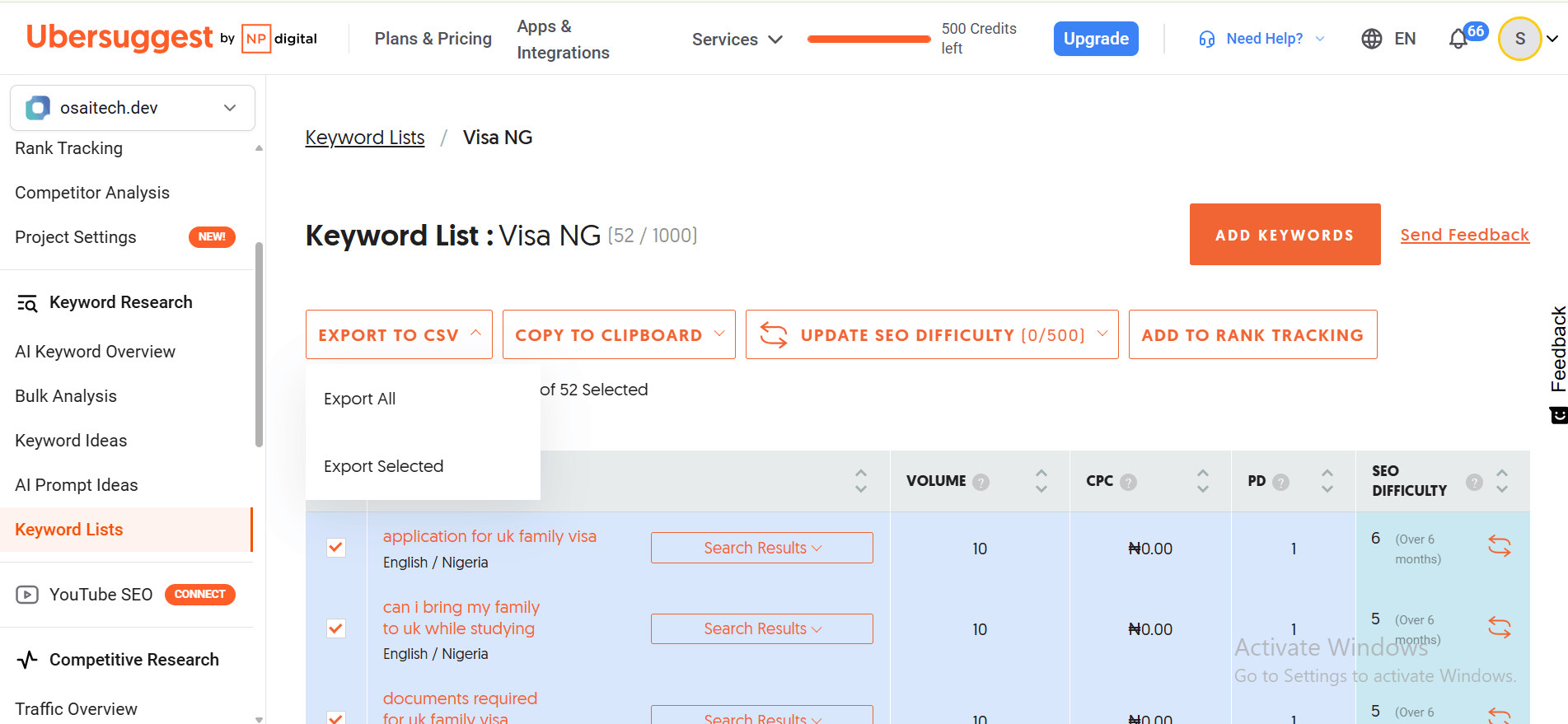
- STEP 2: Keyword list creation – Open up Ubersuggest, click on the Keyword lists button at the far left, then click on “CREATE NEW LIST,” give it a name (For mine, Visa NG).
Chat with an SEO expert now!
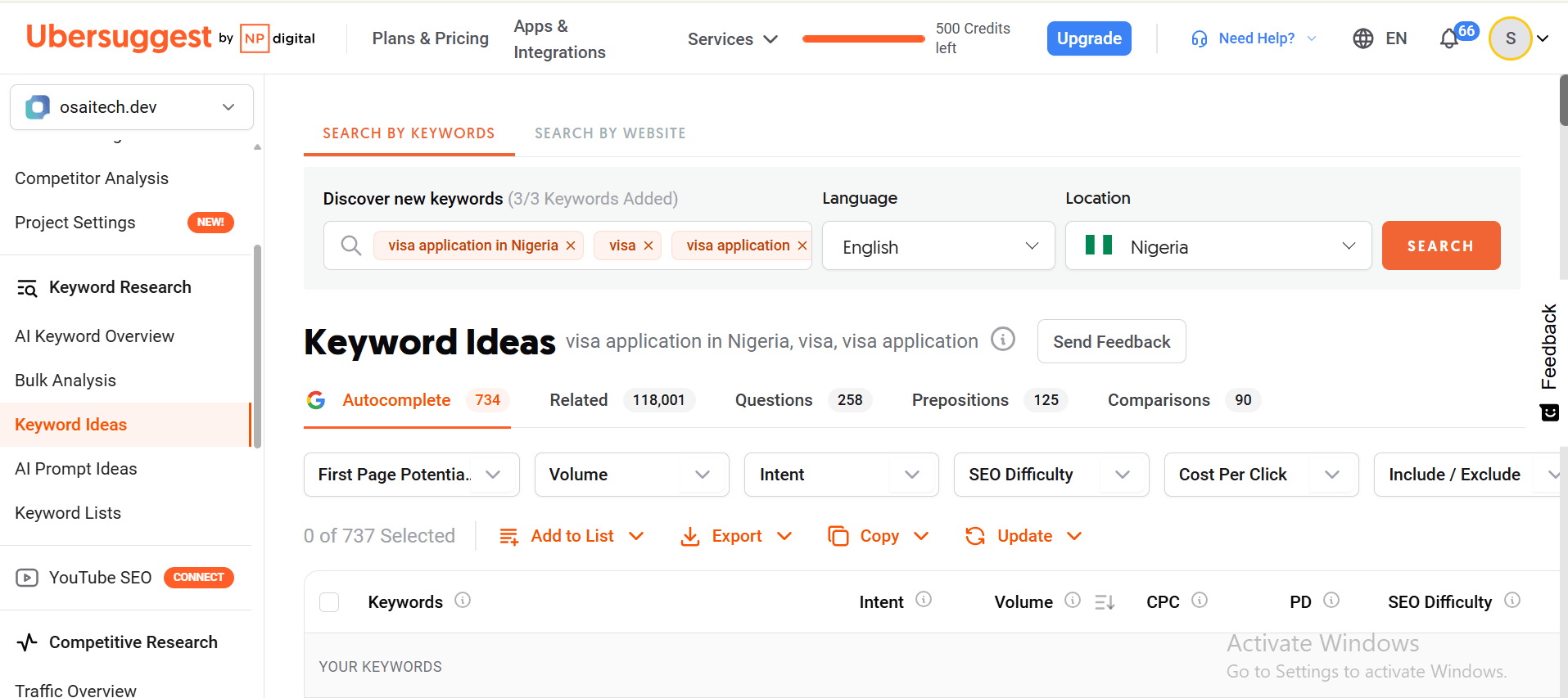
- STEP 3: Keyword ideas research – Go to the Keyword ideas section, input 3 seed keywords you selected into the Discover new keywords section [I started with “Visa application in Nigeria”, “Visa”, “Visa application”], set your language to English, country to Nigeria, and hit the search button.
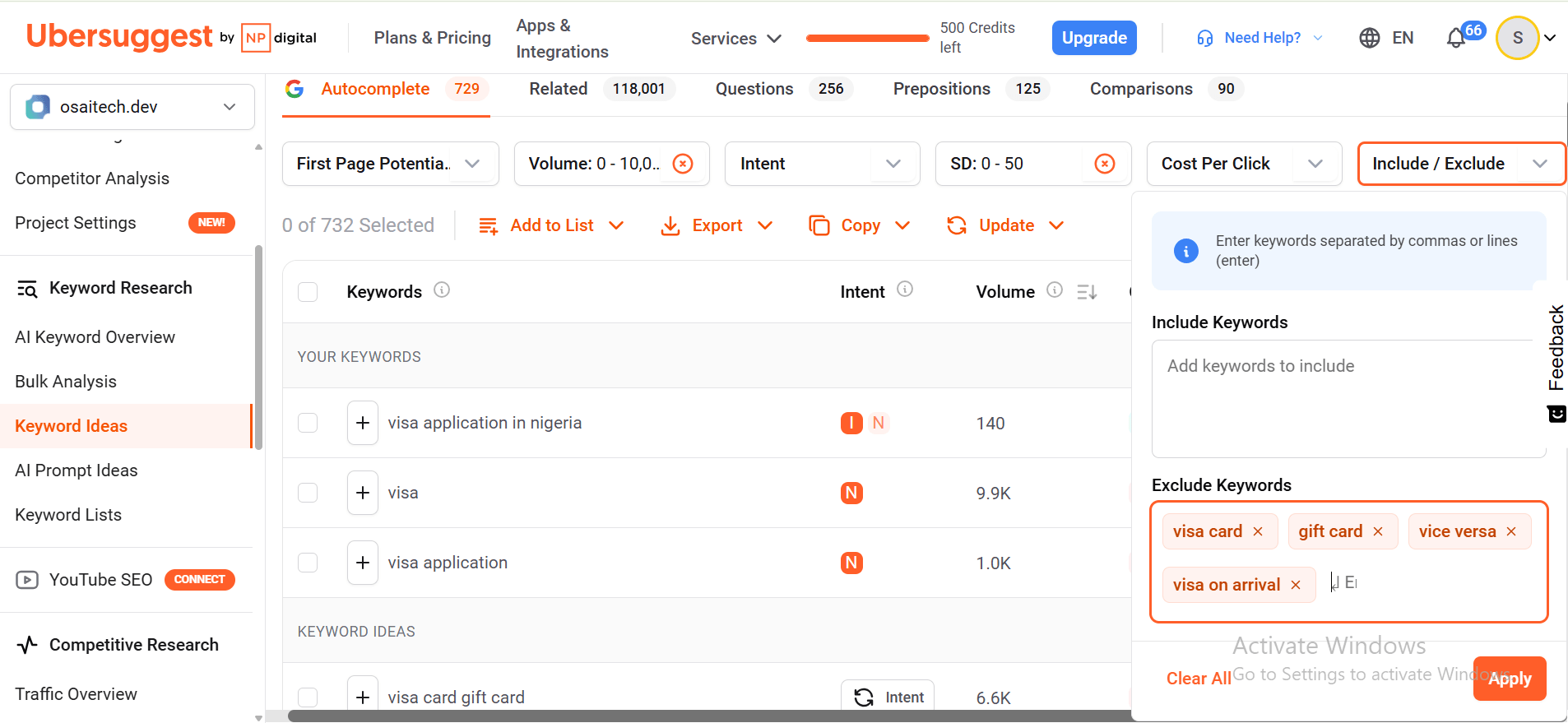
- STEP 4: Keyword filtering – Exclude words that bring up irrelevant keywords with the “Include/Exclude” tab [I removed “Visa card”, “gift card”, “vice versa”, “Visa on arrival”. Secondly, set the SEO difficulty to custom “0 to 50”) in the SEO difficulty tab, and finally set volume to “0 to 10,000” in the volume tab.
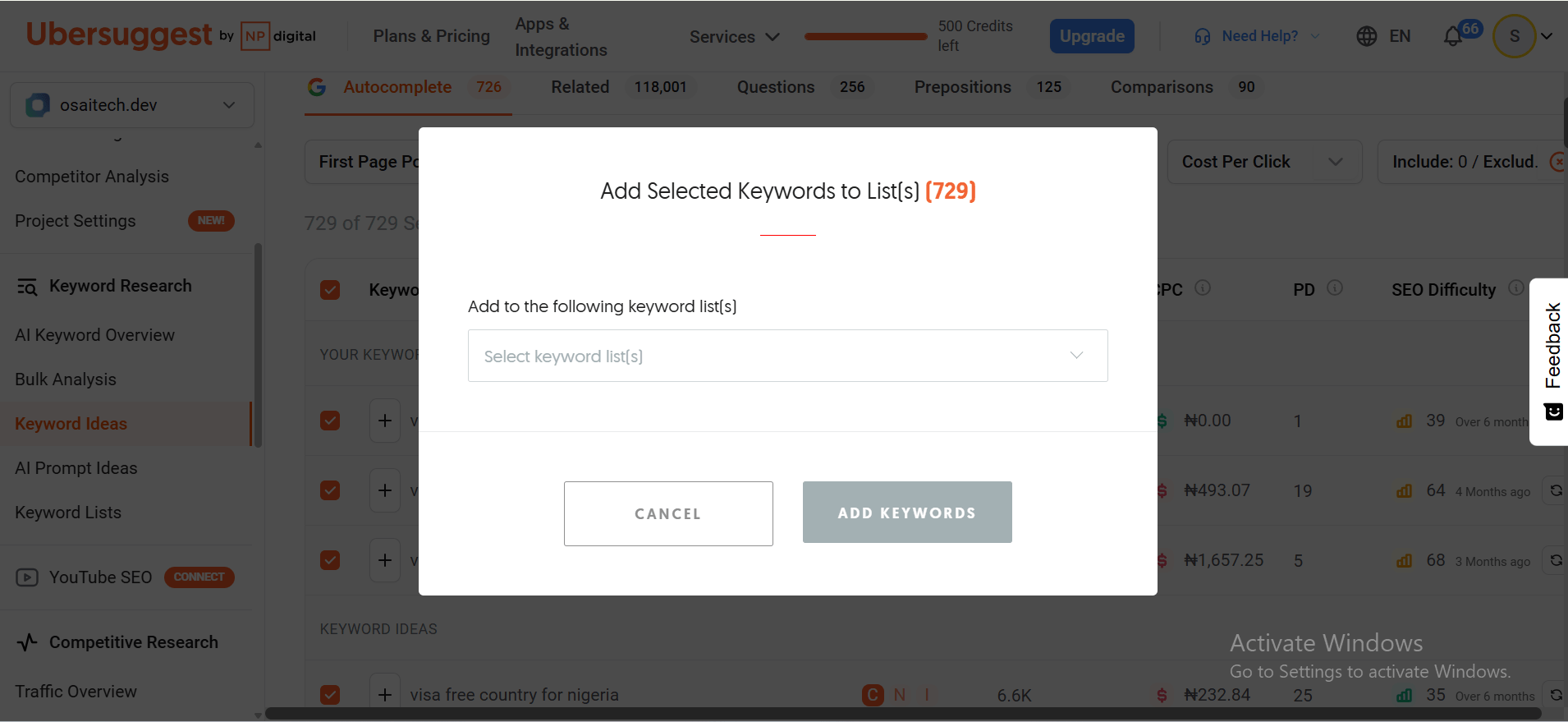
- STEP 5: Keyword selection – Click the check box beside the keywords related to your business services, [like “visa application for canada”, “visa application for france”, “visa application ireland”]. Then, add the selected keywords to the new keyword list you created by clicking the “Add to list” button on top of the list, then click “Add selected to keyword list”, then select your keyword list, then click “Add keywords”.
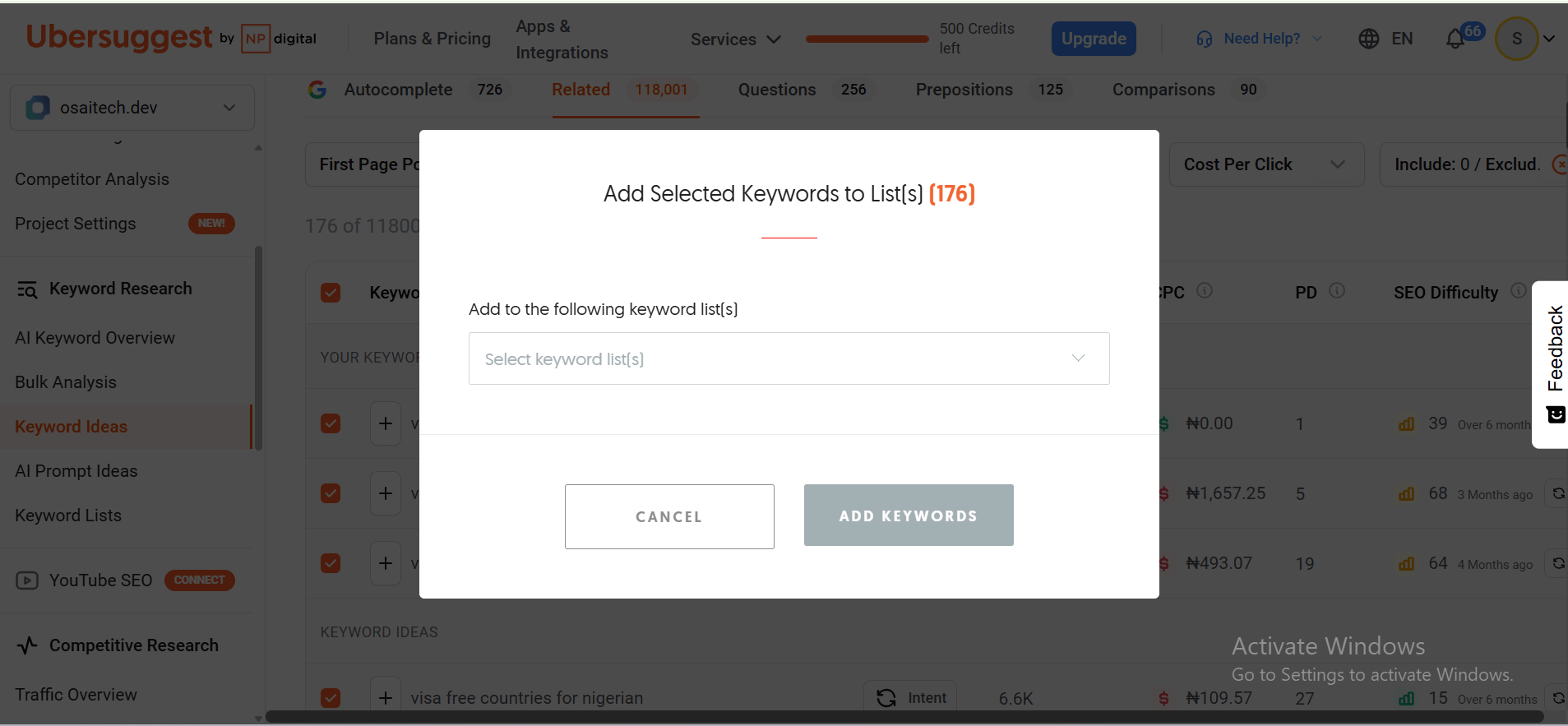
- STEP 6: Keyword selection 2 – Select keywords relating to your business in the related section, comparison section, proposition section, and questions section, then add them all to the keyword list you created previously.
- STEP 7: More keyword research – Repeat steps 3 to 6 for another set of seed keywords, and add the keywords to your keyword list.
- STEP 8: Keyword list export – Go to the keyword lists section, select your keyword list (for mine, Visa NG), then click “EXPORT TO CSV”, then click “Export All”.
How to do keyword clustering
- STEP 1: Spreadsheet export – Open a new Google Sheet, give it a name [for mine, Visa NG SEO content plan], click on File, then click on Import, then go to the Upload section, click on Browse, pick the file you downloaded from ubersuggest, then click Open. Right-click on the top of the keyword column, scroll down to “Insert 1 column left,” click on it, and name it Topics.
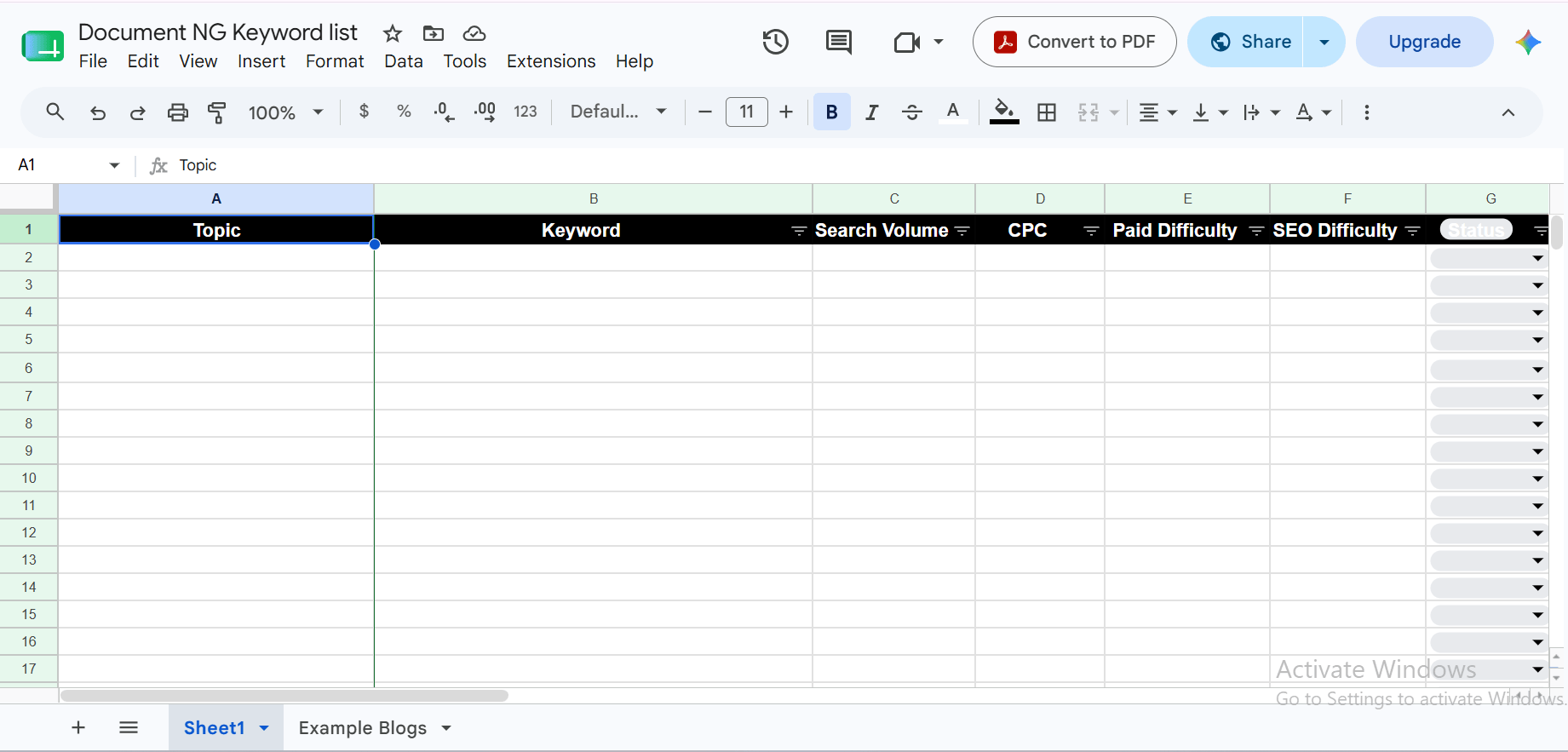
- STEP 2: Spreadsheet setup – On the keyword spreadsheet, add new columns, 1 for each of these: writer, stage in publishing cycle, link to writing draft, link to published page, publish date, and content silo.
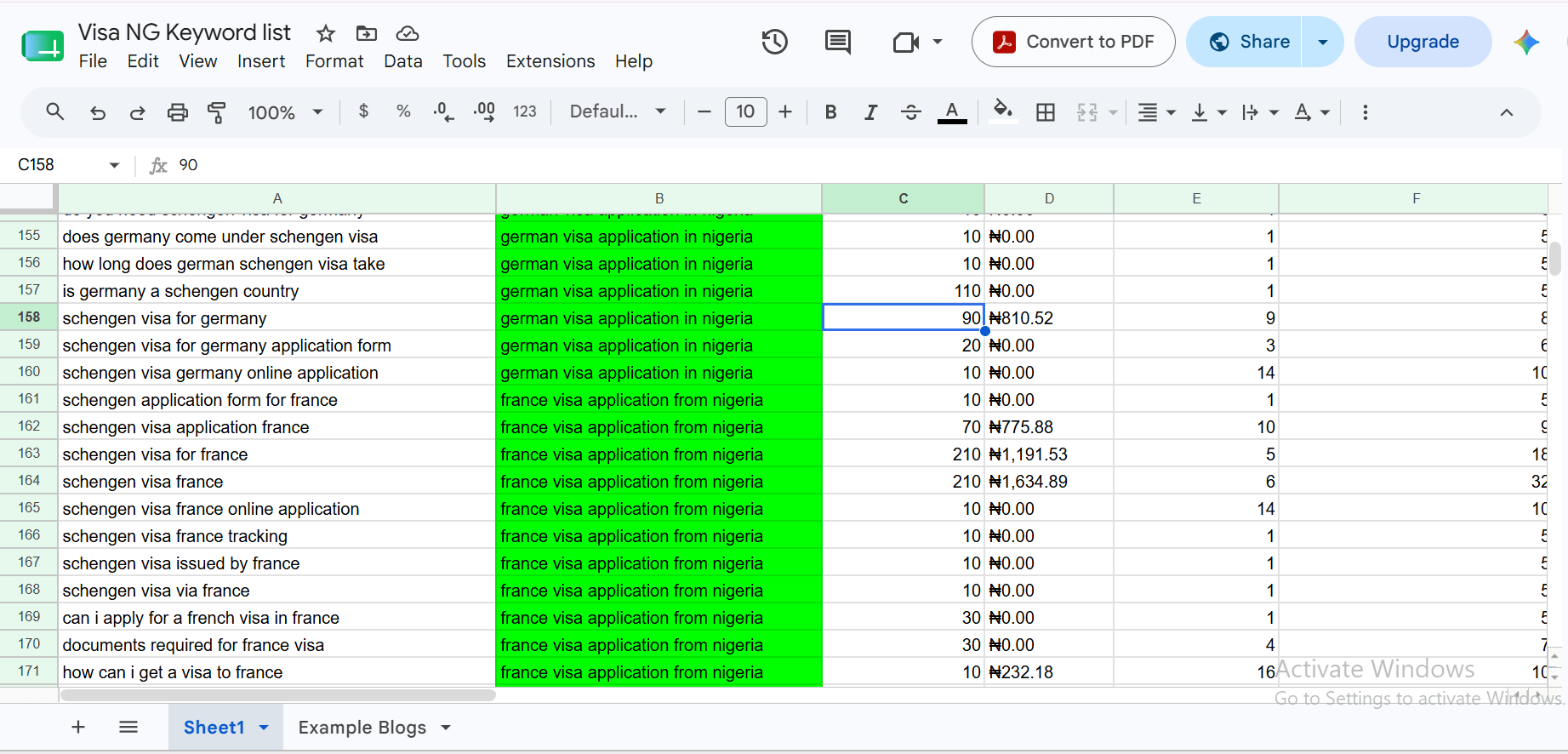
- STEP 3: Keyword clustering – This is a very manual part; you have to scan through the entire list and drag rows with keywords that are closely related, to each other. Then give them a topic which includes the primary keyword; for example, the topic of this article is “Complete Step by step France visa application from Nigeria guide,” while its primary keyword is “France visa application from Nigeria”.
How to do Keyword Prioritization in SEO
There are 4 factors to consider when prioritizing which topic to write and publish first, and they are;
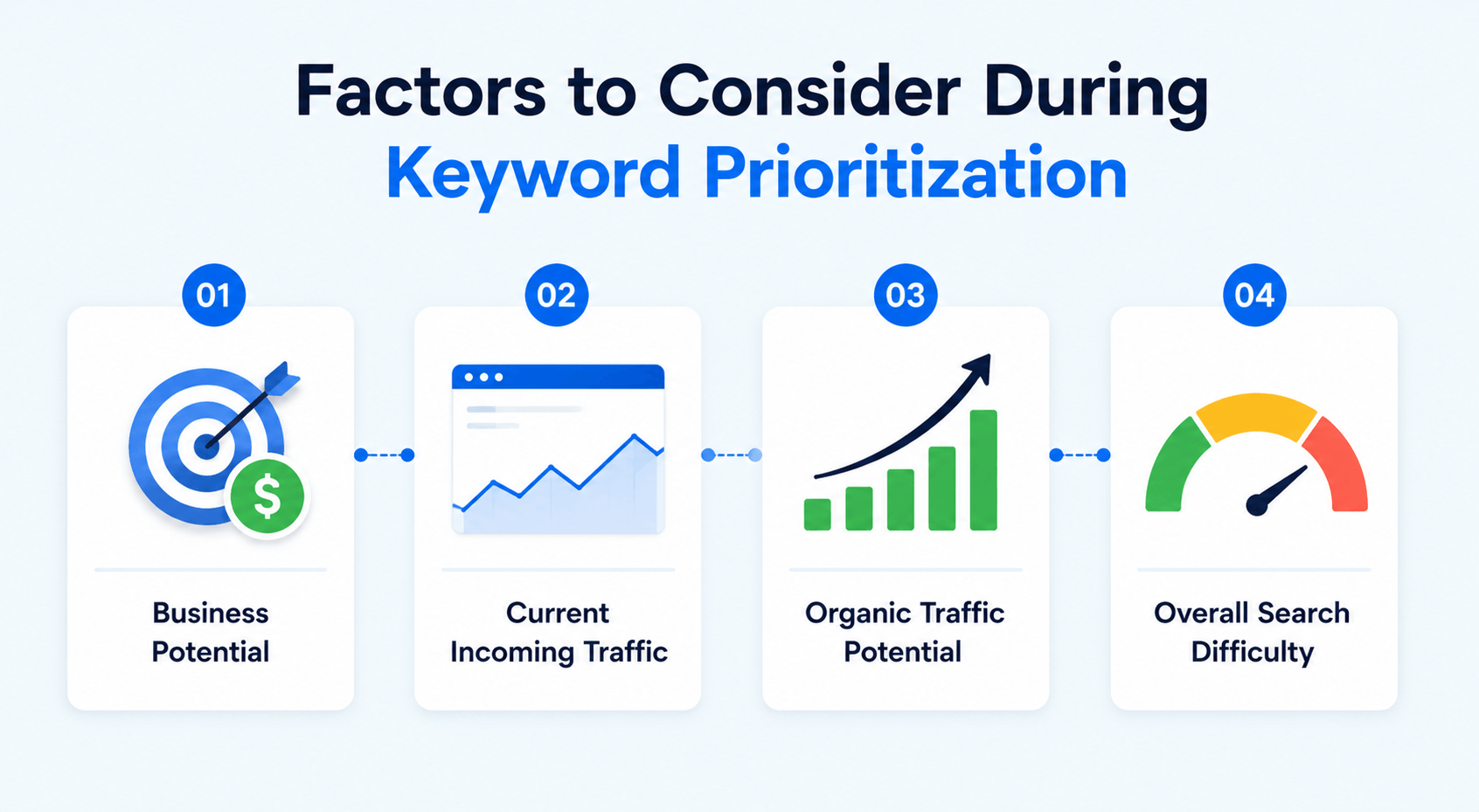
- Business potential: The possibility of that page attracting paying visitors directly [A visa processing service page would attract more than normal blog posts].
- Current incoming traffic: Is there a page or post on the website that uses that keyword that is already receiving visitors?
- Organic traffic potential: An estimate of the amount of traffic the topic can get from search; this is the sum of the search volume of the individual keywords for a topic.
- Overall search difficulty: An estimate of how difficult it would be to rank on page 1 for that group of keywords; this is the sum of the search difficulty of the individual keywords for a topic.
Chat with an SEO expert now!
- STEP 1: Keyword prioritization spreadsheet setup – Name a new column Priority, hover over the first cell and click on the dropdown icon there, scroll down on the list that opened up, and click on the dropdown. Now name four options: HIGH PRIORITY (Green), MEDIUM PRIORITY (Blue), LOW PRIORITY (Yellow), and OPTIONAL (Red).
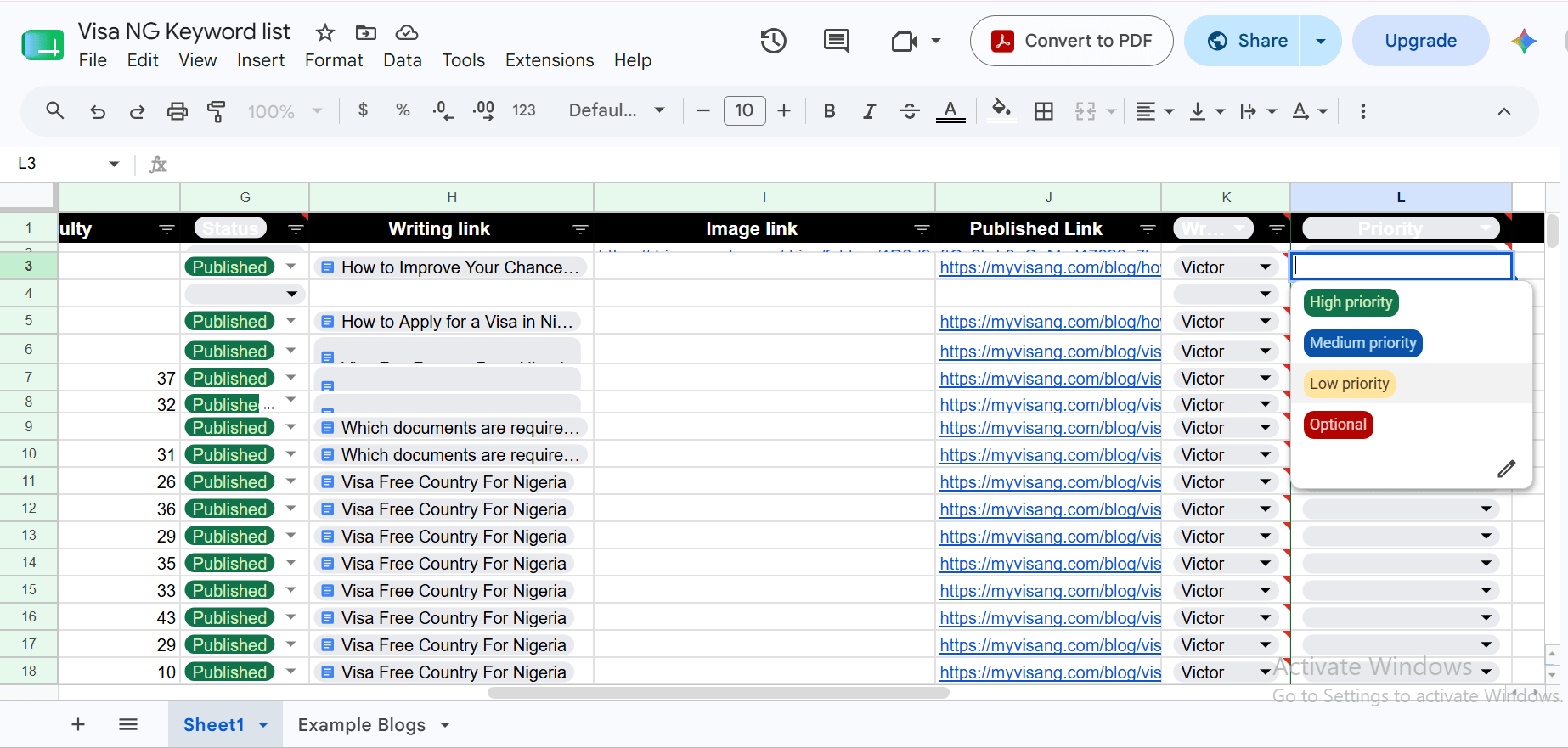
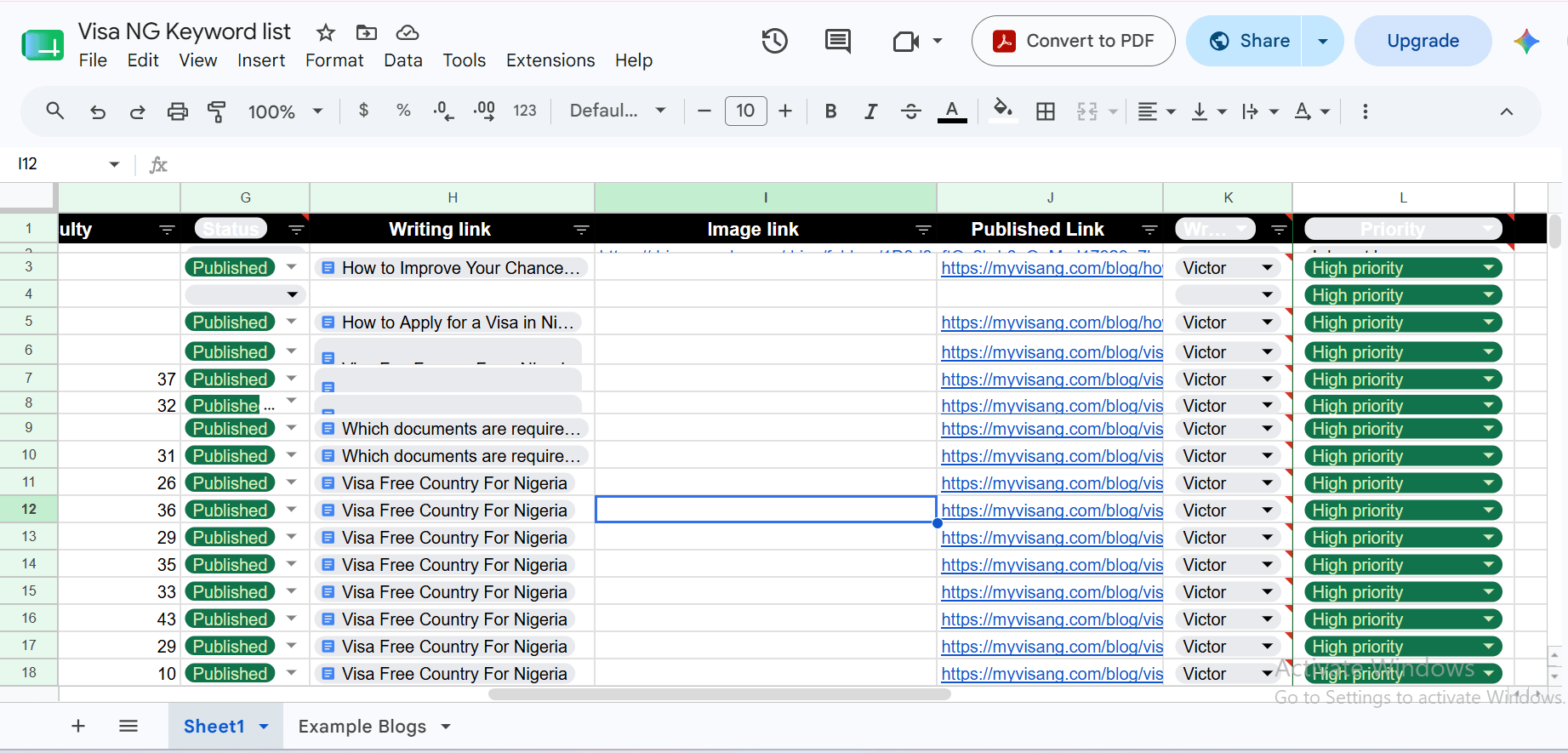
- STEP 2: Keyword prioritization 1 – For topics with a page on the website already using some or all of its keywords, change their priority to High priority, and for topics with high business potential, like service page topics or product page topics, or even blog posts that are bottom of the funnel [E.g., What is cost of France visa application in Nigeria], change them to High priority.
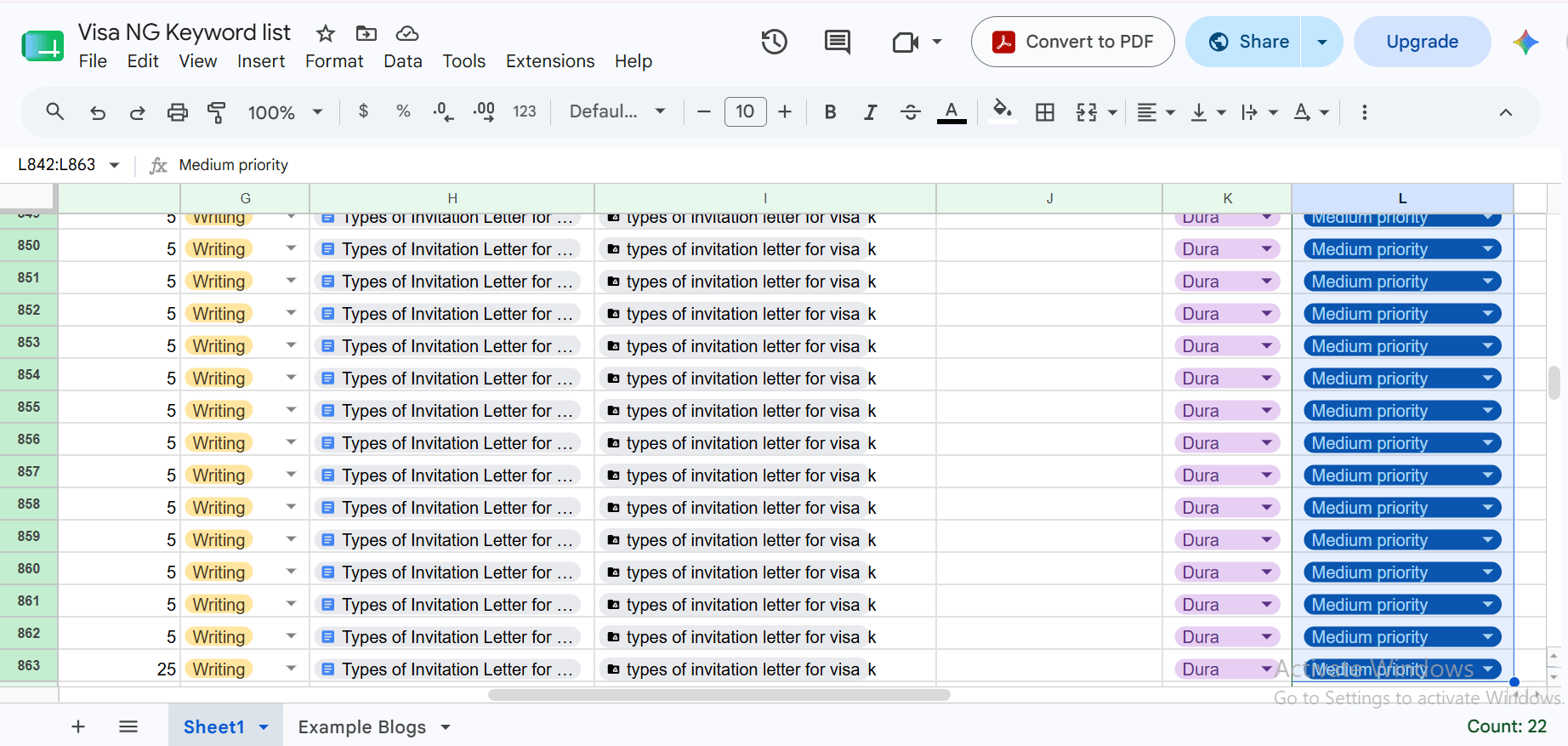
- STEP 3: Keyword prioritization 2 – For topics with a lot of incoming traffic potential, change their priority to Medium priority.
- STEP 4: Keyword prioritization 3 – For topics with low combined SEO difficulty, change them to low priority, and for topics with low traffic potential and high combined SEO difficulty, change them to optional.
NOTE:
You are to start writing and publishing from high-priority topics down to the low-priority topics.
How to do responsibility assignment in an SEO content plan
This is a task of assigning the processes to get your article live to certain individuals in your company. This step is not necessary if you are the only one handling the whole process.
- STEP 1: Responsibility assignment spreadsheet setup 1 – Add 3 columns: 1 for writer, another for editor, and another for publisher. You can add another column for the graphic designer for each topic, if you have multiple graphic designers.
- STEP 2: Responsibility assignment spreadsheet setup 2 – For each column, hover the first cell and click on the dropdown icon there, scroll down on the list that opened up, and click on the dropdown. Now add the names of your writers for the writer column; for the editors column, add the names of your editors, for the publishers column, add the names of your publishers, same for the graphic designer column, add the names of your graphic designers.
- STEP 3: Responsibility assignment – Now, for each topic, assign a writer, editor, publisher, and a graphic designer.
Why does your website need an SEO content plan?
An SEO content plan is important for any website because it helps in tracking the input that goes into the website, improves consistency, keeps your team on track, creates content that aligns with your potential customers’ journey, and improves your SEO results over time:

- Improve consistency: An SEO content plan helps you and your team to keep posting regularly because you already know what should be going out each time.
- Easy to track input: An SEO content plan makes it easy to track the keywords that go into a particular page or post, their data, and your team members who worked on that topic, making it easy to address issues you spot on that topic.
- Keep the team on track: An SEO content plan helps your team members know what role they are to play each time, and their deadlines for each task.
- Create content that sells: An SEO content plan ensures you produce a mix of content that guides your website visitors from uninformed to buying customers, going through all stages of the marketing funnel, from the top, middle, to bottom.
- Create content that answers customers’ searches: An SEO content plan helps you create content that answers customers’ questions through your initial keyword research and not just guessing what your target audience is searching.
- Better Results Over Time: Over time, with the help of Google Search Console data and your SEO content plan, you can have an idea of what works better and stick to it, producing great results in the long term.
Tips to help you create an SEO content plan that produces great results.
- Define goals: Before drafting your SEO content plan, you should know exactly what you want your website and entire SEO strategy to achieve. For example, the goal of the travel agency’s website was to get more leads (people making enquiries) for professional visa processing and travel document processing. So this goal guided my keyword research.
- Understand your target customer’s pain point: Understanding your customer’s frustration helps you create a list of seed keywords that kickstart the process of creating an SEO content plan.
- Measure and optimize: Always measure your website traffic, engagement rates, and conversion rates to ensure your SEO content plan is working and to know when to make an adjustment.
- Build your plan around keywords: Your SEO content plan should be driven by what your audience is already searching for on Google. This is how you convert your readers to customers.
- Assign each piece of content to a funnel stage: Map every topic to the top, middle, or bottom of your marketing funnel. This ensures that your SEO content plan targets each level of your buyer’s journey.
Frequently Asked Questions
A SEO content plan looks like an organized spreadsheet, document, or board that contains what content to create, what keywords are to be in it, who writes and publishes it, and when it goes out.
Update your content plan when you notice your plan is not effective or if you have new, effective topics to include.
Yes, but it is advisable to use the UberSuggest tool from the steps in the guide.
Keyword research is important in SEO because it helps the writer discover the phrases potential readers are searching for, giving him or her the keywords to include in the article.
Keyword research is important in SEO because it helps the writer discover the phrases potential readers are searching for, giving him or her the keywords to include in the article.
Conclusion
Any business that is trying to grow its online presence through SEO needs an effective SEO content plan that covers what content to create, where to publish it, and when it goes out.
Now you have everything you need to get started. Pick your first seed keyword, open Ubersuggest, and take it one step at a time, or reach out to an SEO company that uses a good SEO content plan strategy to generate leads.
Chat with an SEO expert now!